
Maybe we should call this vibraphone coding?
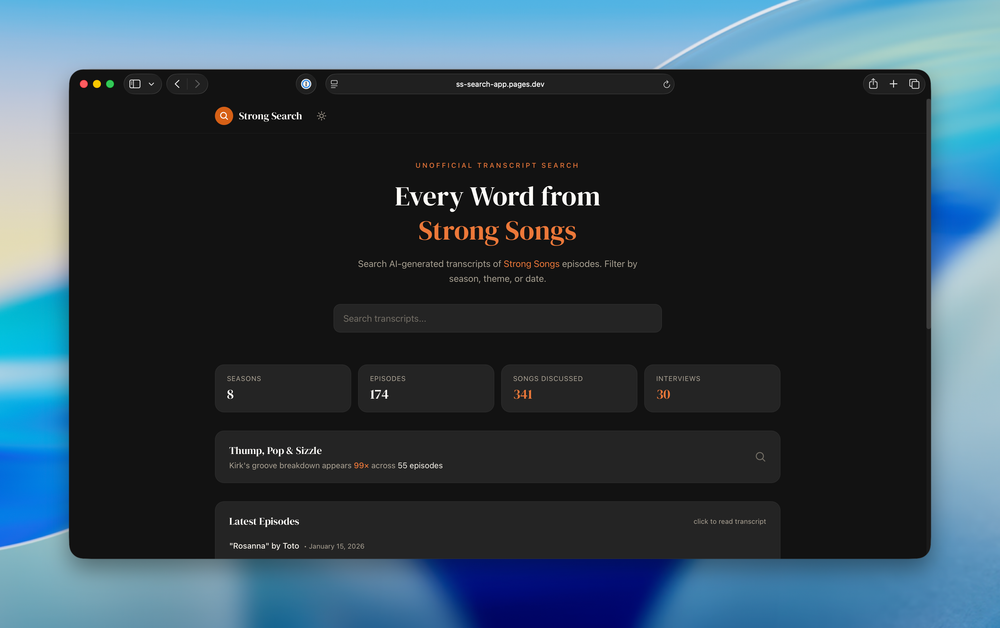
I’m a big fan of the podcast Strong Songs. Hosted by Kirk Hamilton—musician, video game journalist, and podcaster—the show has an infectious enthusiasm for digging into how songs work, what makes them tick, and why they feel the way they do—their Thump, Pop and Sizzle, as Kirk might say.
The inspiration
With more than 170 episodes across eight seasons, it’s no surprise that listeners sometimes wonder: has this song already been covered? That got me thinking. Inspired by David Smith’s podcast search site for a handful of tech shows, I figured I could pull together a similar thing for searching through the Strong Songs transcripts.
Vibing out
I am sure I could have read through the Whisper docs and understood what was needed to install it and run all the episodes through it, but then I’d also have to come up with the web interface to search and view the transcripts. That sounds like a fun project, and it would certainly stretch my skills, but it’s not something I could or would make the time for between doing client work with my company, practicing, teaching and performing music, and a whole host of other things. ((See you at the Monument 10k in a couple months?)) So, this being the summer of 2025, I did the most summer of 2025 thing and I turned to ChatGPT. ((I know there are lots of reasons to avoid using so-called AI, and I share a lot of the concerns of the most-vocal opponents. I also don’t like what AI companies are doing in creative spaces.))
Version 0.1: What ChatGPT actually helped me build
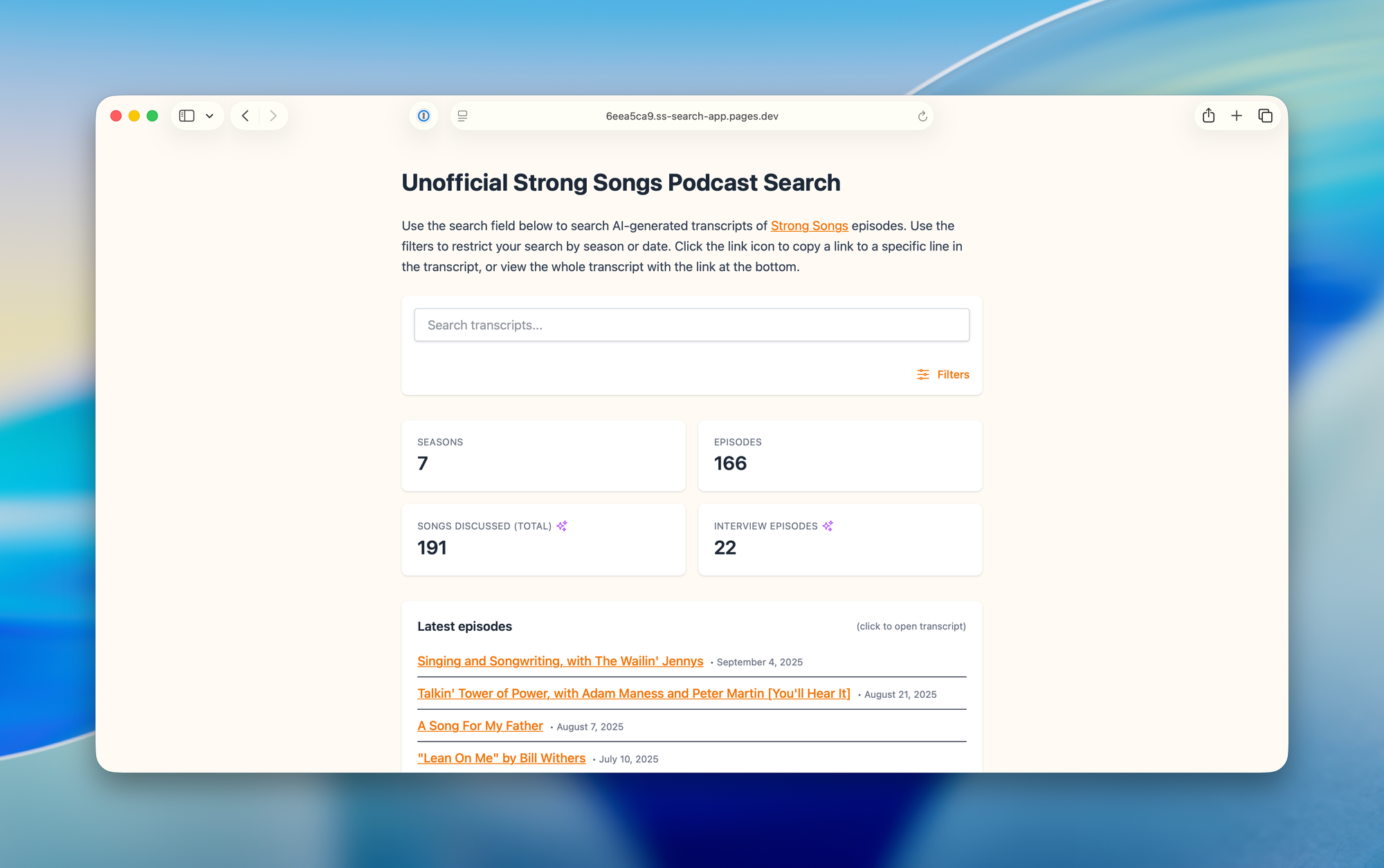
In fairly short order, ChatGPT produced a script that downloaded episodes from the podcast feed and transcribed them locally. I settled on faster-whisper with the medium model as a balance between quality and speed. Still, transcribing more than 160 episodes took over 24 hours. From there, ChatGPT helped scaffold a single-page app using Vue, Vite, and Tailwind — at least two of which I’ve heard of before — and deploy it to Cloudflare Pages. Immediately someone asked to be able to view the full transcript of the episodes, which is where working with ChatGPT went off the rails just a little bit. It really got confused once we started adding more pages to the site. However, we persevered and added that feature and a few others, and did some tweaking to try to speed up the site—especially on slow connections. That’s where I left it for a couple months, other than adding new episode transcriptions here and there and attempting to improve the site performance with workers. In August, I refactored the site some to make the index more efficient and I added some AI tagging and a dashboard view on the main page showing some stats.
Version 1.0: Handing the reins to Claude Code
As it turns out, better AI coding tools did exist at the time I was cajoling ChatGPT into making the site, I just didn’t know about them. I’m not sure how mature those were at the time, but recently I’ve started using Claude Code for some other hobby projects (including my new personal website) and have been pretty impressed with what it can do. I decided to point Claude Code at the repo and see what it could do.
Pipeline and automation
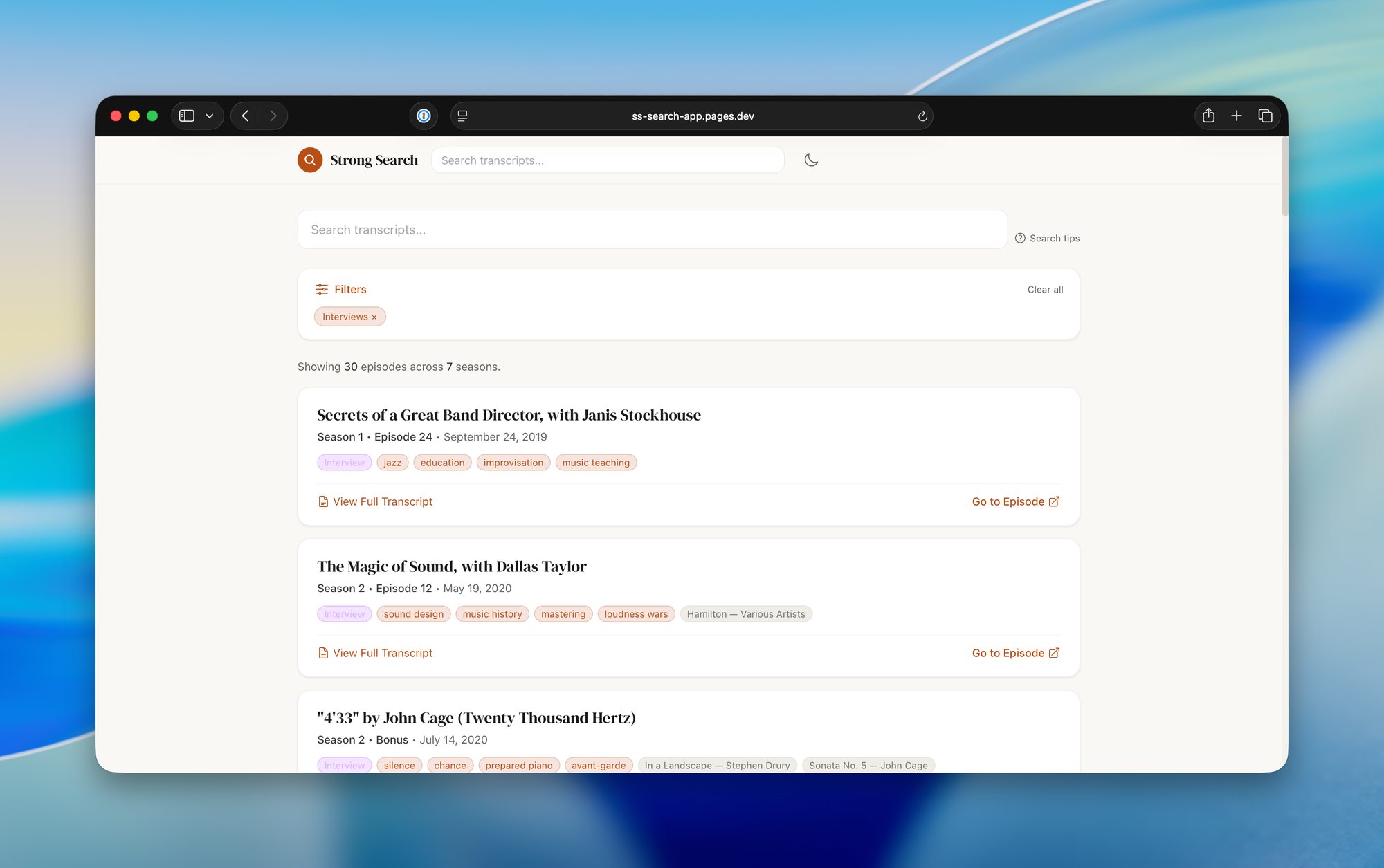
Initially with the ChatGPT setup, I ended up separating out the download/transcribe side of things (a series of Python scripts) from the frontend website that’s deployed to Cloudflare. One of the first things Claude did was consolidate the separate Python scripts and frontend into a single pipeline that could download, transcribe, and integrate new episodes automatically. It also did a complete visual redesign of the site, with dark and light modes. The new design looked quite nice, in my opinion, but maybe that’s kind of like when you have someone else paint your house, you don’t always see all the rough edges you’d notice forever if you did it yourself.
Now the whole process of downloading, diarizing, transcribing, AI tagging and committing changes can happen through a pipeline script that runs monthly on my Mac as a launchd service.
Addressing a few pain points
It also addressed a couple pain points I’d had, namely that the transcriptions were broken up awkwardly into small snippets that didn’t make for very nice reading. It also made sure all the transcripts linked to the right page on the podcast website (a challenge because the permalink wasn’t provided in the RSS).
Performance improvement and speaker detection
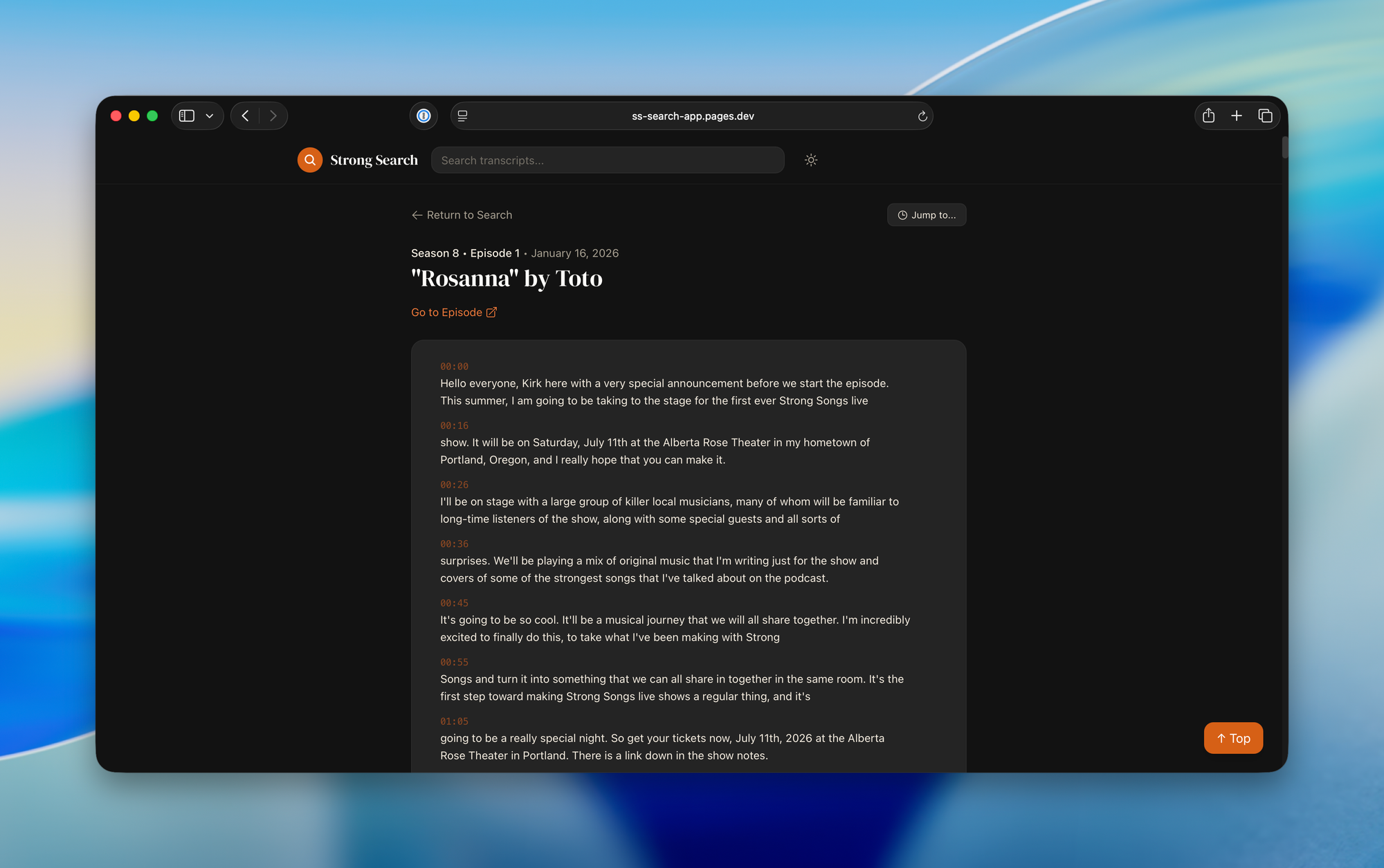
The next day, I set out to tackle another pain point: the site was veeerrrryyyy slllooooow. Especially on slower connections. It ended up ripping out the Fuse.js based search with an inverted index, creating an 11x smaller download for clients. Then I set out to tackle something I didn’t think would be possible with the Whisper transcriptions: Speaker identification for multi-person episodes. I learned this is called diarization. Initially it used pyannote for that, but I found it wasn’t doing a good job on some of the episodes. I did some Googling of my own and landed on AssemblyAI as a better alternative for diarization. It has a free API that allows more usage than I should need for a show that publishes monthly.
I also had it build a tool to help me review the speaker assignments and ended up building out the features on that so I could do various kinds of edits, change speakers, split segments, etc.
All along I had it add some fun little touches, like the Thump/Pop/Sizzle call out at the top. It also created a new og:image for previews on social media and anywhere else that embeds previews for links (like Messages) by creating an HTML page and taking a screenshot of it with Playwright.
Check out the site for yourself and see what you think.
Lessons learned and downsides of AI coding
There are lots of details left out of my descriptions of both the first endeavors with ChatGPT (who have their own equivalent of Claude Code called Codex) and the recent changes with Claude Code, but in general, at least for me, this kind of AI-assisted coding—full vibe coding, if you will—definitely trades speed for understanding. Partly because some of this is written in languages I’m not as familiar with, and a lot of it happened more or less automatically, if I had to dig into the code myself and make anything more than a trivial change, I’d need to spend a good bit of time getting up to speed.
On the other hand, for all the complaints about AI coders, they’re definitely better coders than I am. I can see them being a productivity boost (if not now, sometime in the future) for people who actually understand computer science and know more about how to code.
Being able to say “I want it to work this way” and it just does, is pretty impressive. But you can also say “I want it to work this way, show me how.” Maybe that’s the approach I should be taking with these tools.
They also aren’t free. Claude Code is available if you pay $20/month, but you get limited usage. You can pay 5 times for 5 times as much usage. As far as I can tell, they aren’t terribly transparent about what that adds up to. You can get a lot done with the $20 plan, though.
Claude Code is forgetful. You have to set coding standards and process standards and keep on top of making sure it follows them. You have it create a CLAUDE.md file where it is supposed to keep track of architecture things, coding processes and standards (I like to tell it to always start in plan mode, to work in a branch of any new features, etc.).
The add-on skills are crucial. Claude makes mistakes, but it also catches a lot of those mistakes if you have it do a code review. I like to make it do a PR, and then review that PR. You also have to tell it or remind it to back up and consider the problem rather than myopically focusing on solving some local error.
To a colleague the other day, I compared Claude Code to having a new, very productive, intern every day. You feel like you’re explaining the same thing a lot, but they get a lot done while you’re checking your email.